
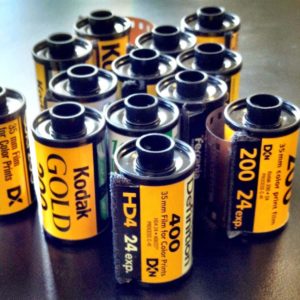
If you have a box of 35mm negatives or slides stored away, you may have an entire collection of photographs that you haven’t seen in years. Film makes it possible to preserve moments from family vacations, birthdays, weddings, childhood, and everyday life—but keeping the original film in storage forever comes with risks.
Over time, film can be affected by heat, moisture, dust, scratches, and improper storage. Once deterioration becomes severe, recovering the original image can become increasingly difficult.
One practical way to protect your collection is to convert your 35mm film into digital images.
Why Your Film Collection Shouldn’t Stay in Storage
Film is not designed to remain unchanged forever. Environmental conditions can gradually affect both negatives and slides.
Poor storage can contribute to:
- Fading and color changes
- Dust and surface contamination
- Scratches
- Mold or mildew
- Physical damage
- Loss of image quality
You may not notice these problems immediately. A collection can look perfectly fine today while slowly deteriorating over the years.
Creating digital copies gives you another way to preserve the images while the original film is still in usable condition.
What Can Be Scanned?
35mm film collections can contain different types of photographic material.
Depending on the scanning service, you may have:
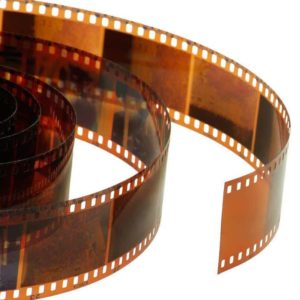
- 35mm color negatives
- 35mm black-and-white negatives
- 35mm slides
- Family film collections
- Older photographic negatives
If you have a mixed collection, it is useful to identify what you have before sending it for scanning. This can help you determine which scanning option is appropriate.
What Happens to a 35mm Negative During Scanning?
The purpose of film scanning is to capture the photographic information stored on the original film and convert it into a digital image.
The film is positioned in specialized scanning equipment, where the image is captured at a selected resolution. The resulting digital file can then be reviewed, organized, stored, and used for printing or sharing.
Professional scanning can also include appropriate image adjustments to help produce a clean and usable digital result.
Resolution Matters When Scanning Film
Not every digital file is suitable for every purpose.
A smaller digital file may be sufficient for viewing on a screen, while a higher-resolution scan provides more flexibility when you want to make larger prints or preserve additional image detail.
When choosing a scanning service, consider how you intend to use the files:
For digital viewing: standard resolution may be sufficient.
For printing: higher-resolution files can provide more flexibility.
For long-term archiving: keeping high-quality original scans can give you more options in the future.
It is generally easier to create smaller copies from a high-quality scan later than to recover detail that was never captured in the first place.
Organizing Your Film Before Scanning
A little organization before sending your collection can save time later.
If possible, separate your film into groups based on:
- Family events
- Years
- Vacations
- People
- Locations
- Special occasions
You can also make notes about photographs that have particular importance to your family.
Once your negatives have been digitized, this information can help you create a more useful digital archive instead of ending up with hundreds of unnamed image files.
What Can You Do With Digitized Film?
Once your 35mm negatives have been converted into digital images, your collection becomes much easier to use.
You can:
- View photographs on modern devices
- Share images with relatives
- Create digital family albums
- Print photographs again
- Make photo books
- Create slideshows
- Store backup copies
- Preserve family history digitally
You may even discover photographs that you had completely forgotten about.
Keep More Than One Digital Copy
Scanning your film is an important first step, but don’t stop there.
If the photographs are valuable, keep backup copies of the digital files. You might store one copy on your computer, another on an external drive, and another in secure cloud storage.
Having multiple copies means that a problem with one storage device doesn’t necessarily mean losing the entire collection.
Should You Scan Your Film Yourself?
Home film scanners are available, but scanning a large collection can take considerable time.
You also need to learn how to handle the film, position it correctly, clean it, choose appropriate settings, and manage the resulting files.
For a small collection, doing it yourself may be practical. For hundreds or thousands of negatives, using a professional 35mm film scanning service can save time and provide a more consistent workflow.
Don’t Wait Until Your Film Is Too Damaged
The biggest advantage of digitizing an old film collection is having a usable digital copy while the original material is still in reasonable condition.
You don’t need to wait until negatives become severely faded or damaged.
If you have 35mm film sitting in boxes, albums, drawers, or storage containers, now is a good time to assess the collection and decide which photographs are most important to preserve.
Turn Your 35mm Film Into Digital Memories
Your old negatives may contain photographs that exist nowhere else.
Professional 35mm film scanning services can convert those physical images into digital files that are easier to access, organize, back up, share, and print.
Instead of leaving your film collection hidden in storage, digitization gives those photographs a new way to be enjoyed and preserved for years to come.
Ready to preserve your 35mm film collection? Visit Photo60Studio.com to learn more about professional 35mm film scanning services.
0 Comments