
Instead of keeping boxes of photographs around the house, you can turn your collection into digital files that are easier to store, back up, and share with family members.
A Simple Way to Digitize Thousands of Photos
Have boxes of old photographs sitting in storage?
The prepaid photo scanning box makes it easier to preserve those memories without scanning every photograph yourself.
It is especially useful for:
-
Archiving old family photographs
-
Reducing clutter around your home
-
Preserving large photo collections
-
Sharing photographs with siblings and relatives
-
Creating digital copies of precious memories
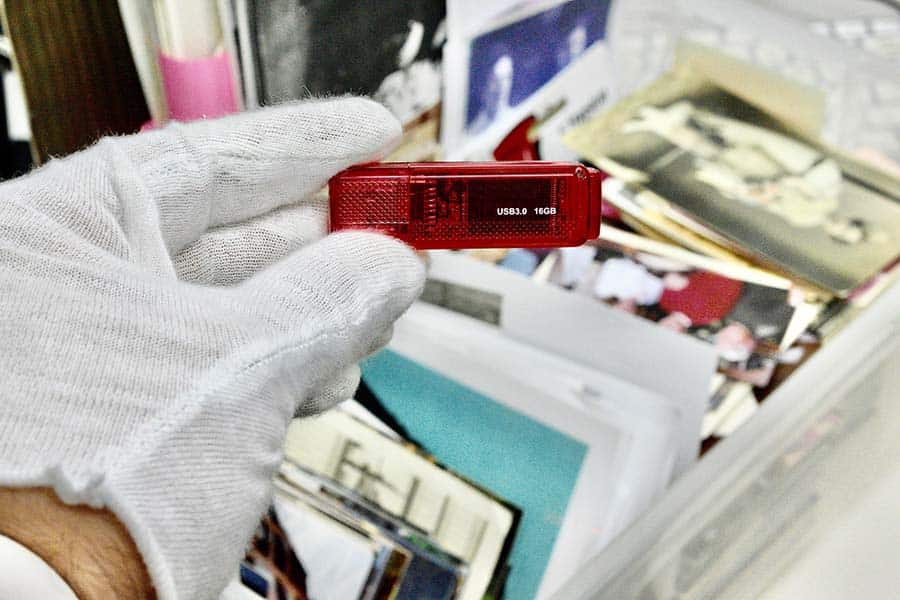
Once your photographs have been scanned, you can also make additional copies of the USB stick and share them with family members.
How the Prepaid Photo Scanning Box Works
The process is designed to be simple from beginning to end.
1. Place Your Order Online
Start by placing your order for the prepaid photo scanning box.
Once your order is received, we ship the box to you with a USPS Medium Flat Rate shipping label already attached.
2. Prepare Your Photos
Before filling the box, organize your photographs according to our photo scanning guidelines.
Proper preparation helps make the scanning process smoother.
[See our instructions for preparing photos for scanning.]
3. Fill the Box
Once your photographs are organized, place as many photos into
the box as will fit safely.
The box can accommodate photographs ranging from approximately 2×3 inches up to 8×10 inches.
A typical box can hold approximately 1,800 4×6 prints.
This makes the prepaid box a practical option when you have a large collection to digitize.
4. Securely Tape the Box
After filling the box, use packaging tape to securely seal it before shipping.
Do not overstuff the box. Overfilling can reduce the box’s structural integrity during shipping and may increase the risk of damage.
5. Give the Box to Your Mail Carrier
Because the USPS Medium Flat Rate shipping label is already attached, you don’t need to arrange separate shipping.
Simply hand the prepared box to your mail carrier and we’ll take care of the rest.
6. Receive Your Digitized Photos
Once we receive your photographs, they are professionally scanned at 300 DPI, with 600 DPI available as an optional upgrade.
Within approximately 2–3 weeks, your box will be returned with your scanned photographs stored on a USB stick.
How Many Photos Can the Box Hold?
The exact number depends on the size and thickness of your photographs.
As a general example, a typical box can hold around 1,800 4×6 prints.
You can also include different photograph sizes, from approximately 2×3 inches to 8×10 inches, as long as everything fits safely inside the box without overfilling it.
Why Digitize Your Old Photos?
Physical photographs can take up considerable storage space, especially when you have accumulated several boxes over the years.
Digitizing your collection gives you a simpler way to:
-
Preserve family memories
-
Reduce physical storage clutter
-
Create backup copies
-
Share photographs with relatives
-
Keep large collections organized
-
Access your memories digitally
Instead of passing around boxes of photographs, you can share digital copies with family members more easily.
What Scanning Resolution Is Available?
Our standard photo scanning service scans
photographs at 300 DPI.
If you need additional resolution, 600 DPI scanning is also available as an optional upgrade.
The appropriate resolution can depend on how you plan to use your digital photographs.
How Long Does the Process Take?
After your photographs are received, the completed box is typically returned within 2–3 weeks.
The photographs are scanned and saved onto a USB stick before the box is shipped back to you.
Start Digitizing Your Photo Collection

Thousands of photographs don’t have to remain packed away in shoeboxes and storage boxes.
The prepaid photo scanning box provides a straightforward way to send your collection to us, have the photographs professionally scanned, and receive your digital memories on a USB stick.
Whether you’re organizing years of family photographs, reducing clutter, or making copies to share with relatives, digitizing your collection can make your memories much easier to preserve and access.
Ready to digitize your photographs? Order your prepaid photo scanning box and let Photo60 Studio handle the scanning for you.
Have Questions?
If you have questions about the prepaid photo scanning box or preparing your photographs, send us a message using the Messages icon in the bottom-right corner of the website.
You can also call us at 571-572-3026.

thanks sir for valuable information provided